One input. One search.
Search apps and indexed files with fuzzy matching and Chinese pinyin. Start menu indexing is opt-in; for whole-drive search, reuse a running Everything index or register LumeSVC to build a local NTFS index.
A lightweight launcher built for Windows
Press Alt + Space to search apps and files, recall clipboard history, or enter a plugin. One input, then back to what you were doing.
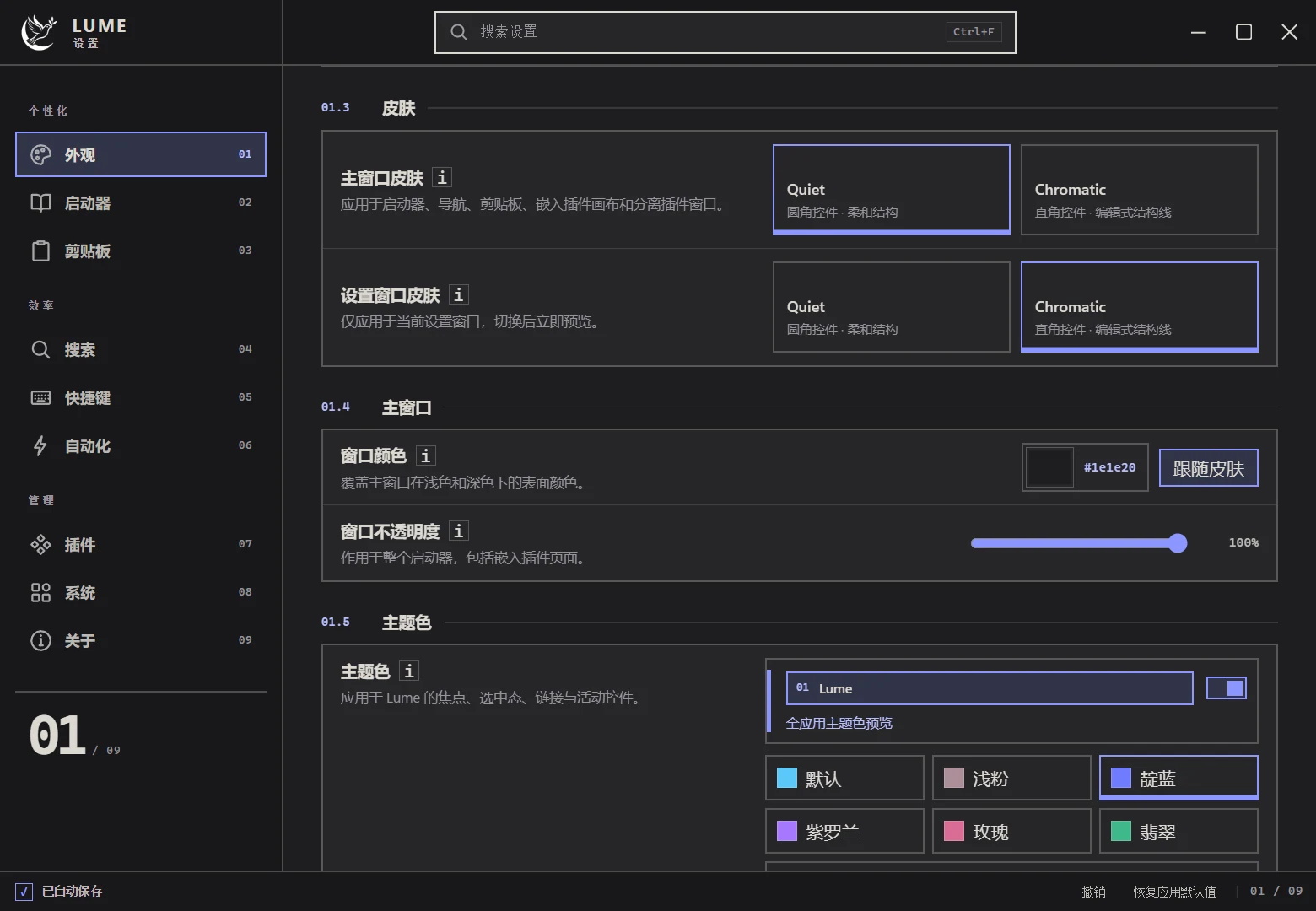
v26.11.2 Nov 14, 2026 8.1 MBThe real settings window
This is not a static screenshot. Browse the sidebar, switch themes, language, skin, and accent; every change stays inside the browser demo.
One entry
Apps, files, clipboard history, and plugins share one keyboard path. Say what you need; Lume brings the result to the front.
Search apps and indexed files with fuzzy matching and Chinese pinyin. Start menu indexing is opt-in; for whole-drive search, reuse a running Everything index or register LumeSVC to build a local NTFS index.
Starts hidden and disappears on focus loss. The next summon returns focus to the search box.
Default shortcutCapture text, images, files, and media. Filter, search, pin, merge selections, then paste back into the foreground window.
Text, images, audio, video, and PDF open in a satellite window. The launcher keeps its geometry and your keyboard flow.
Two skins, light and dark tones, accent colors, surface color, and opacity. The launcher and settings window can choose independently.
Built-in pages and third-party plugins share registration and lifecycle. Mode pages run inside a sandboxed iframe; undeclared capabilities are denied by default, with an explicit trust-all exception in developer mode.
Everyday motion
From summon to result, the common path stays on the keyboard.
Use the global shortcut and start typing.
While the search box is focused, switch apps, clipboard, or plugin pages.
Move through results as they update.
Launch an app, open a file, or paste.
Local first
The Lume core needs no account and does not send settings, indexes, or clipboard history to a Lume cloud service. Network-capable plugins can only use the network when you grant that capability. Portable data lives beside the app by default; installed data lives in the current user's local app data directory.
Open the app. No registration or sign-in.
App and file discovery happens on your machine.
Plugins can use declared capabilities by default. Trust-all in developer mode is an explicit exception.
Lume/
├── lume.exe
├── lume-svc.exe
├── lume-agent.exe
├── languages/
├── res/
├── settings/
├── data/
│ ├── lume.db
│ └── plugin_store.db
└── plugins/ Extensible
A plugin.toml plus a standard Web API page or entry JavaScript can contribute search results, full pages, and lifecycle services. Development supports hot reload; detachable mode plugins can also open their own window.
01
id = "web-search"
02
name = "Web Search"
03
version = "1.0.0"
04
kind = "provider"
05
api = 2
06
permissions = ["network"]
07
entry = "main.js"
Download Lume with the default Alt + Space, or map the shortcut you already use.